WhenToMeet Explained: Features, Pricing, Calendar Sync and How It Works
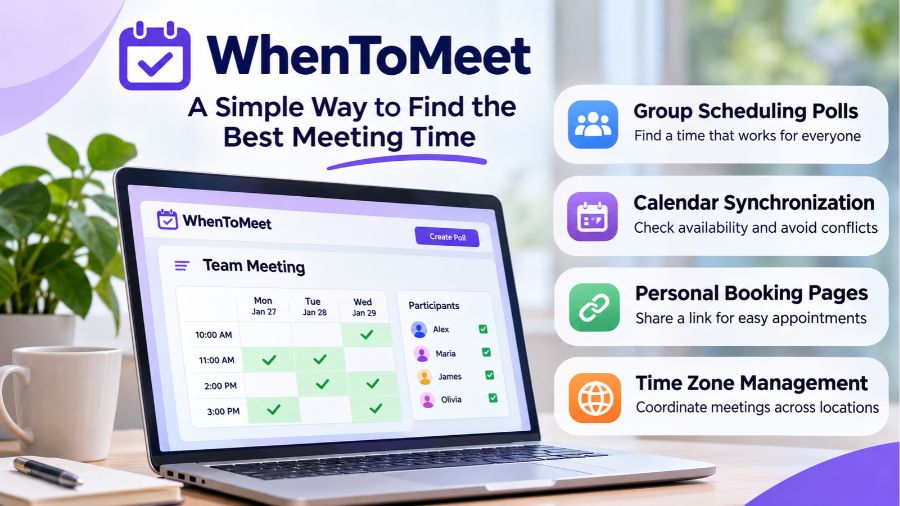
WhenToMeet is an online scheduling platform designed to help individuals, teams, and organizations find convenient meeting times without lengthy email exchanges or confusing group conversations. By combining group scheduling polls, calendar synchronization, availability tracking, and personal booking pages, the platform makes coordinating meetings easier for people with different schedules and time zones. Whether someone needs to organize a business discussion, arrange a virtual team meeting, or plan a group activity, understanding how WhenToMeet works can help them choose a more efficient approach to scheduling. This guide explores its features, functionality, pricing structure, mobile applications, advantages, limitations, and potential uses.
What Is WhenToMeet?
WhenToMeet is a web-based meeting coordination and calendar scheduling service that helps people identify suitable times for appointments and group events. Its central purpose is to reduce the repeated communication involved in finding a time when several participants are available. Instead of asking everyone to suggest dates individually, an organizer can create a scheduling poll, add possible time slots, and share a unique link with participants. Everyone can then indicate their availability, allowing the organizer to compare responses and identify convenient meeting times. The platform also offers personal booking pages, calendar connections, and tools for managing availability. Its combination of group scheduling and individual appointment booking makes it relevant to remote workers, businesses, freelancers, students, and organizations that regularly coordinate meetings.
How Does WhenToMeet Work?
WhenToMeet follows a straightforward scheduling process that allows organizers and participants to coordinate without complicated arrangements. An organizer creates a poll, enters an event title, provides relevant information, and selects possible dates and times. After generating the poll, the organizer shares its link with the intended participants. People opening the link can mark the time slots when they are available, creating a visual overview of everyone’s responses. The organizer can review the results and choose an appropriate meeting time. Calendar integration can make the process more convenient by identifying existing commitments and potential scheduling conflicts. According to the platform’s documentation, participants can respond to group polls without registering for an account, although signing in provides access to additional organizer features.
Key Features of WhenToMeet
WhenToMeet combines several scheduling capabilities to address different meeting coordination requirements. Its group polling feature allows organizers to compare multiple proposed dates, while its availability grid provides a visual representation of participant responses. Calendar synchronization can help identify existing commitments before meetings are arranged, reducing the possibility of double-booking. The platform also supports personal booking pages, where users can share a dedicated link for appointments instead of negotiating individual times. Additional capabilities include time zone adjustments, email notifications, calendar event management, and reusable scheduling options. The availability of certain advanced features depends on the subscription plan and connected calendar service. Together, these tools make WhenToMeet more than a basic voting application because it also supports ongoing calendar and appointment management.
Group Scheduling Polls
Group scheduling polls are one of the platform’s central functions. They allow an organizer to suggest several potential meeting times and invite other people to indicate which options suit their schedules. The resulting availability grid makes it easier to recognize overlapping free periods without collecting individual responses through separate messages. This approach is particularly useful when coordinating meetings involving several employees, clients, classmates, or project contributors. Participants can access a shared poll through its link, making the process relatively simple for people who do not regularly use the service. Group polling is also available on the free plan, according to the platform’s published documentation.
Calendar Synchronization
Calendar synchronization helps users compare proposed meeting times with their existing commitments. When a supported calendar is connected, WhenToMeet can use availability information to identify conflicts and help prevent overlapping appointments. Its documentation describes support for Google Calendar and additional calendar services through paid features, including Microsoft calendars, CalDAV, and iCal subscriptions. Users can also manage connected calendars and select where newly created events should be added, depending on their configuration. This functionality is especially relevant to professionals who maintain separate personal and business calendars. However, users should review the requested account permissions and confirm that their calendar connections are working correctly before relying on automatic availability information.
Personal Booking Pages
Personal booking pages provide another way to use WhenToMeet beyond group polls. A registered user can establish a public scheduling page and share its link with clients, colleagues, or other people who need to arrange an appointment. Visitors can review the available appointment options and choose a suitable time according to the organizer’s configured availability. This reduces the need for repeated conversations about possible meeting dates. Booking pages can be useful for freelancers, consultants, independent professionals, and small businesses that regularly arrange introductory calls or client discussions. The number of available booking pages and advanced scheduling controls depends on the subscription plan.
Time Zone Management
Coordinating meetings across different countries can become complicated when participants follow different local time zones. WhenToMeet addresses this issue by adjusting displayed meeting times according to participants’ local settings. This can help prevent misunderstandings when someone in Pakistan schedules a discussion with colleagues in the United Kingdom or the United States. Instead of manually converting every proposed time, participants can review the options in their own local time zones. Nevertheless, users should confirm their device and calendar time zone settings because incorrect configurations can still create scheduling confusion. This feature is particularly valuable for international businesses, distributed teams, and remote professionals.
WhenToMeet Pricing and Subscription Plans
WhenToMeet offers a free subscription and a paid Pro plan designed for users who need additional scheduling and calendar management capabilities. The free option provides access to group scheduling polls, one booking page, one Google Calendar connection, calendar synchronization up to 30 days ahead, and email notifications. These features can be sufficient for individuals who organize occasional meetings or have relatively simple scheduling requirements. The Pro plan expands the available capabilities with unlimited booking pages, additional calendar connections, a longer synchronization window of up to five years, and advanced availability controls. Other documented Pro capabilities include Microsoft calendar connections, CalDAV support, iCal subscriptions, and additional scheduling management options. The platform offers monthly and yearly billing, with the final subscription cost displayed during checkout. Because subscription prices and regional taxes can change, prospective customers should check the official pricing page rather than rely on outdated third-party figures.
How to Use WhenToMeet for the First Time
Getting started with WhenToMeet does not require advanced technical knowledge, and creating a basic group poll is possible without establishing an account. Users can visit the website, open the poll creation area, and enter a meeting title with a short description. They can then add proposed dates and time slots that participants can consider. Once the poll is ready, the organizer shares its unique link through email, messaging applications, or workplace communication platforms. Participants open the link and indicate which options work for them. After reviewing the responses, the organizer can select a suitable time and finalize the event. Users who want additional functionality can create an account, connect supported calendars, configure personal availability, and establish booking pages for future appointments. This makes the platform accessible to occasional users while also offering additional tools for people with regular scheduling responsibilities.
WhenToMeet Mobile App and Device Compatibility
WhenToMeet extends its scheduling experience beyond desktop browsers through dedicated applications for mobile devices. Its mobile availability allows users to create and manage polls, share scheduling links, review participant responses, and access booking-related features while away from their computers. The service also provides options for accessing its web application through a mobile browser and adding it to a device’s home screen. According to its published app information, the iOS application supports compatible iPhones and iPads, while the Android application is distributed through Google Play. The iOS listing specifies iOS 16.4 or later for iPhone compatibility. Users should check the relevant application store for current device requirements, regional availability, and subscription details before installing the application.
Who Can Benefit from Using WhenToMeet?
WhenToMeet can serve different audiences because scheduling difficulties are common across professional, educational, and personal activities. Businesses can use group polls to coordinate departmental discussions, project meetings, and conversations involving external clients. Remote teams can benefit from time zone adjustments and calendar connections when employees work from different locations. Freelancers and consultants may find personal booking pages useful for arranging appointments without repeatedly exchanging availability messages. Students can organize study sessions, group assignments, and academic discussions by collecting everyone’s preferred times. Event organizers can also use scheduling polls to identify convenient periods for planning meetings or smaller group activities. Although the platform is not designed to replace every professional calendar or project management system, it can provide a practical way to coordinate appointments when several people need to agree on a shared time.
Advantages of WhenToMeet
One of the main advantages of WhenToMeet is its ability to reduce unnecessary communication during the scheduling process. A shared poll provides participants with a common place to submit availability, making it easier for organizers to compare different options. Calendar integration adds another layer of convenience by helping users identify conflicts before confirming appointments. The platform’s free group polling functionality also makes it accessible to people who do not want to purchase a subscription simply to organize an occasional meeting. Its personal booking pages offer additional value to professionals who regularly communicate with clients or colleagues about appointment times. Time zone adjustments can also simplify coordination between international participants. These capabilities make WhenToMeet a useful option for people who want scheduling tools without depending entirely on lengthy email conversations or manually comparing multiple calendars.
Limitations and Things to Consider
Despite its useful features, WhenToMeet may not be the ideal solution for every scheduling situation. Some advanced capabilities require a Pro subscription, meaning users with multiple calendars or more complex booking requirements may need to consider the additional cost. Calendar synchronization also depends on successfully connecting the relevant accounts and granting the necessary permissions. People who do not want to connect personal calendars can still use manual availability selection for group polls, but they may lose some of the convenience provided by automatic conflict detection. Another consideration is that scheduling polls depend on participants submitting accurate and timely responses. If people fail to update their availability, the organizer may select a time that is no longer suitable. Organizations with complex approval processes, extensive resource scheduling, or specialized workforce management requirements may need a more comprehensive scheduling system. Users should also examine privacy policies and calendar access permissions before connecting sensitive professional or personal accounts.
WhenToMeet vs Other Meeting Scheduling Platforms
WhenToMeet operates in a competitive category that includes several established scheduling services, but each platform approaches meeting coordination differently. Doodle is widely associated with group scheduling polls, allowing participants to vote on proposed meeting options. Calendly focuses more heavily on appointment scheduling through personalized booking links and availability management. Google Calendar provides broader calendar organization, event creation, invitations, and schedule sharing, while Microsoft Bookings is designed for appointment management within the Microsoft ecosystem. WhenToMeet combines group polling with personal booking pages and calendar synchronization, giving users access to several related scheduling functions within one service. The best choice depends on the number of participants, existing workplace software, calendar requirements, and available budget. Someone organizing occasional group meetings may prefer a simple polling service, whereas a consultant handling regular appointments may benefit more from advanced booking controls.
Is WhenToMeet Safe and Reliable?
The safety of a scheduling platform depends partly on how it handles personal information, calendar permissions, and connected accounts. WhenToMeet publishes documentation explaining its calendar access practices, including the information it uses to calculate availability and identify scheduling conflicts. Its privacy documentation states that connected calendar information is used for scheduling purposes and that users can revoke access through their account security settings. However, privacy statements should not be treated as a substitute for an independent security assessment or a guarantee that every possible risk has been eliminated. Users should examine the permissions requested during account connection, avoid sharing private booking information unnecessarily, and disconnect accounts they no longer want linked to the service. Businesses handling confidential appointments should also review the platform’s current privacy and service terms before introducing it into workplace processes. Taking these precautions helps users make more informed decisions about sharing calendar information with any third-party scheduling service.
Conclusion
WhenToMeet provides a practical approach to meeting coordination by combining group scheduling polls, calendar synchronization, personal booking pages, and time zone management. Its free plan offers useful functionality for individuals and small groups, while the Pro subscription provides additional options for users with more demanding scheduling requirements. The platform is particularly relevant to remote teams, freelancers, businesses, students, and organizations that regularly arrange meetings across different schedules. Although calendar permissions, subscription limitations, and participant response accuracy deserve consideration, its overall combination of scheduling tools makes it a useful option in the modern productivity software market. Choosing whether to use WhenToMeet ultimately depends on individual scheduling needs, existing calendar services, and the level of functionality required.
FAQs
1. What is WhenToMeet used for?
WhenToMeet helps people coordinate group meetings, compare participant availability, manage appointments, and share booking links without lengthy email exchanges.
2. Is WhenToMeet free to use?
Yes, WhenToMeet offers a free plan with group scheduling polls, one booking page, one Google Calendar connection, and basic scheduling features.
3. Do participants need an account to use WhenToMeet?
No, participants can respond to shared group scheduling polls without registering, although organizers need accounts for additional management and calendar features.
4. Does WhenToMeet support different time zones?
Yes, WhenToMeet automatically adjusts displayed meeting times according to participants’ local time zones, helping international groups coordinate appointments more conveniently.
5. Can WhenToMeet connect with Google Calendar?
Yes, users can connect Google Calendar to check availability, identify scheduling conflicts, and manage meeting events through supported calendar integrations.
6. Is WhenToMeet available on Android and iPhone?
Yes, WhenToMeet offers Android and iOS applications, allowing users to create polls, share links, review responses, and manage scheduling activities.
More read: RSM Student Portal